How to Choose the Best Longer Laser Cutter?
Choosing the best Longer Laser Cutter starts with the work you actually plan to do. A wide bed may suit large signs, while a compact machine can be easier to place and maintain. Power matters, but it is not the whole story. Material type, thickness, cutting speed, engraving detail, and ventilation all affect results. A clean edge on a thin plywood sample does not guarantee the same finish on every material.
The market is expanding. Grand View Research’s Laser Cutting Machines Market Size, Share & Trends Analysis Report estimated the global market at about USD 5.56 billion in 2023 and projected continued growth through 2030. That figure describes the broader industry, not Longer’s sales or the performance of any specific model. Still, it reflects rising demand for precise, digitally controlled cutting across manufacturing and fabrication. Buyers should compare machine specifications with the materials and workload they expect, rather than relying on market momentum or headline wattage.
Check the usable work area, compatible materials, software workflow, air-assist options, and access to replacement parts. Look for clear safety instructions and a suitable enclosure and exhaust setup. Small details count. Also consider the learning curve: setup, focus adjustment, and test cuts take time. The best machine is not always the most powerful one. It may be the model that fits your workspace and produces dependable results. Even then, published specifications cannot replace hands-on testing; that is an imperfect but important part of the decision.
Define Your Projects and Material Requirements
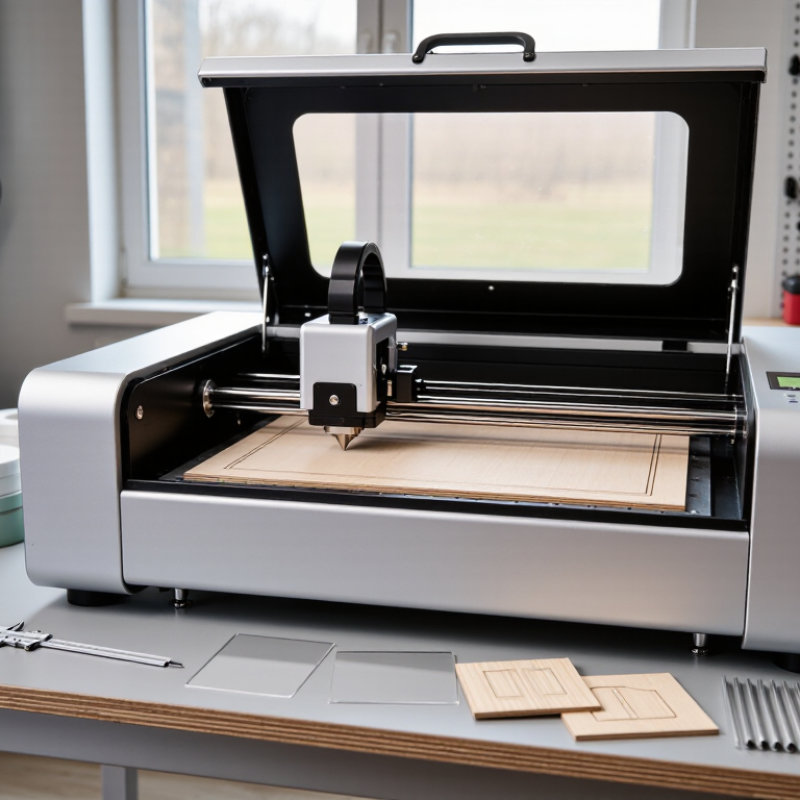
Before choosing a longer laser cutter, list the jobs you expect it to handle. Measure the largest item, not just the average one. A cabinet panel, long sign, or repeated batch of small parts can each call for a different bed length. Leave room for positioning and any material overhang allowed by the machine’s design. Measure twice. A sheet that fits on paper may still be awkward to load.
Material requirements matter just as much. Record each material type, thickness, and typical sheet size, then check the cutter’s documented working area and supported material limits. Wood, acrylic, and other materials can behave differently, so test settings on small offcuts before committing a full sheet. Keep notes on speed, power, and edge quality. This takes time. It also prevents guesswork from becoming expensive. Consider how often you will process long pieces, and whether your room has enough space for safe loading, ventilation, and access around the machine. A longer bed sounds useful, but unused length can take up valuable floor space. I would leave a little extra capacity, while admitting that my first estimates might be too generous.
Compare Longer Laser Cutter Types and Core Specifications
Laser cutters differ in both light source and practical limits. Diode models suit thin wood, paper, and some coated materials, though cutting can be slow. CO2 machines generally handle thicker wood and acrylic more effectively, but need space for ventilation and tube cooling. Fiber systems are designed mainly for marking or processing metals, so they may be a poor fit for a craft workshop. Enclosures, interlocks, and clear viewing windows matter too. They help contain fumes and reduce exposure to the beam. Not glamorous, but important.
Compare the working area with the largest piece you expect to cut, leaving room for positioning. Optical power is useful, but it does not tell the whole story. Lens focus, motion accuracy, air assist, and exhaust performance also affect edge quality and cutting time. Numbers can mislead. Check whether the stated work area includes usable clearance, and whether replacement parts are accessible. For a small studio, noise and footprint may outweigh maximum speed. I may be overcautious, but choosing a cutter from wattage alone often leaves key questions unanswered. Look for test results on materials close to your own, then match the machine to your actual projects.
Match Work Area, Laser Power, and Cutting Speed to Your Needs
How to Choose the Best Longer Laser Cutter?
A longer bed only helps when it fits your actual stock. Measure the largest sheet, add room for clamps and loading, then check whether the usable area—not just the advertised bed—covers it. A 1,220 × 610 mm sheet needs extra clearance around its edges. Fit matters more. Oversizing the bed can waste floor space and leave you paying for capacity you rarely use.
Choose laser power for your material and thickest routine cut, not an occasional job. Higher power can cut thicker stock, but speed also depends on material, focus, assist gas, and edge-quality requirements. ISO 9013:2017 classifies thermal-cut quality into five ranges, assessing factors such as perpendicularity and surface profile. That is a useful reminder: a fast cut is not automatically a good cut. Test real stock.
Compare speed at the same material, thickness, and required edge finish; headline figures alone can mislead. Ask for a sample cut on your own material, and note both the cycle time and cleanup needed afterward. I would also check whether the machine can maintain consistent results across the full bed. A small test near the center may miss problems at the far end. My first estimate is often too optimistic. Recheck it against production needs.
How to Choose the Best Longer Laser Cutter?
Match work area, laser power, and cutting speed to your needs.
The chart compares usable bed area calculated from three example bed dimensions. Choose a bed that fits your largest material with room for positioning. Laser power and cutting speed depend on material and thickness, as well as focus, airflow, and machine limits; compare material-specific test results rather than assuming a larger bed means faster cutting.
Assess Software, Safety Features, and Ease of Use
With a longer laser cutter, software should make the full work area easy to manage. Check that the program supports your usual file types and shows the actual bed dimensions. A clear preview helps catch misplaced artwork before the machine starts. For long panels, look for tools that let you align sections and inspect cutting order. Test the workflow. Import a simple design, set its size, and confirm the preview matches a ruler measurement. I would not rely on an attractive interface alone; confusing scale settings can waste material quickly. It is easy to overlook this until a large sheet is already loaded.
Safety features deserve the same close attention. Look for a lid or enclosure with an interlock that pauses operation when opened, plus a reachable emergency stop. Smoke extraction matters, too: check how the cutter connects to suitable ventilation, and follow the maker’s instructions for your material. Never assume a closed lid handles fumes by itself. Small details matter. Can you see the work clearly without opening the enclosure? Are routine cleaning and lens checks straightforward? A machine can be powerful yet frustrating if basic maintenance requires awkward reaching. Compare the controls, setup steps, and available guidance with the tasks you actually plan to do. One limitation may remain: longer beds can make alignment harder, even with good software.
Compare Model Costs, Accessories, and Ongoing Support
Compare the full ownership cost, not just the machine’s listed price. A longer work bed may reduce repositioning for large panels, but it can also require more floor space and stronger ventilation. Check the usable cutting area, not only the outer dimensions. Ask whether delivery, setup, and staff training are included. Small details matter.
Accessories can change the real value quickly. Price required extraction equipment, cooling components, a honeycomb bed, a rotary attachment, and spare lenses separately. Not every shop needs every add-on. Match each item to the materials and job sizes you actually handle. For example, a rotary attachment may sit unused if cylindrical work is rare. I’d rather buy a useful accessory later than bundle one I cannot justify.
Support deserves the same scrutiny as price. Ask how quickly technicians respond, whether remote diagnosis is available, and how replacement parts are stocked. Read warranty terms for exclusions, shipping costs, and coverage of wear items. Request a sample service response before committing; polished sales answers are not proof of dependable support. This comparison is imperfect, since service quality can vary after purchase.
